💬
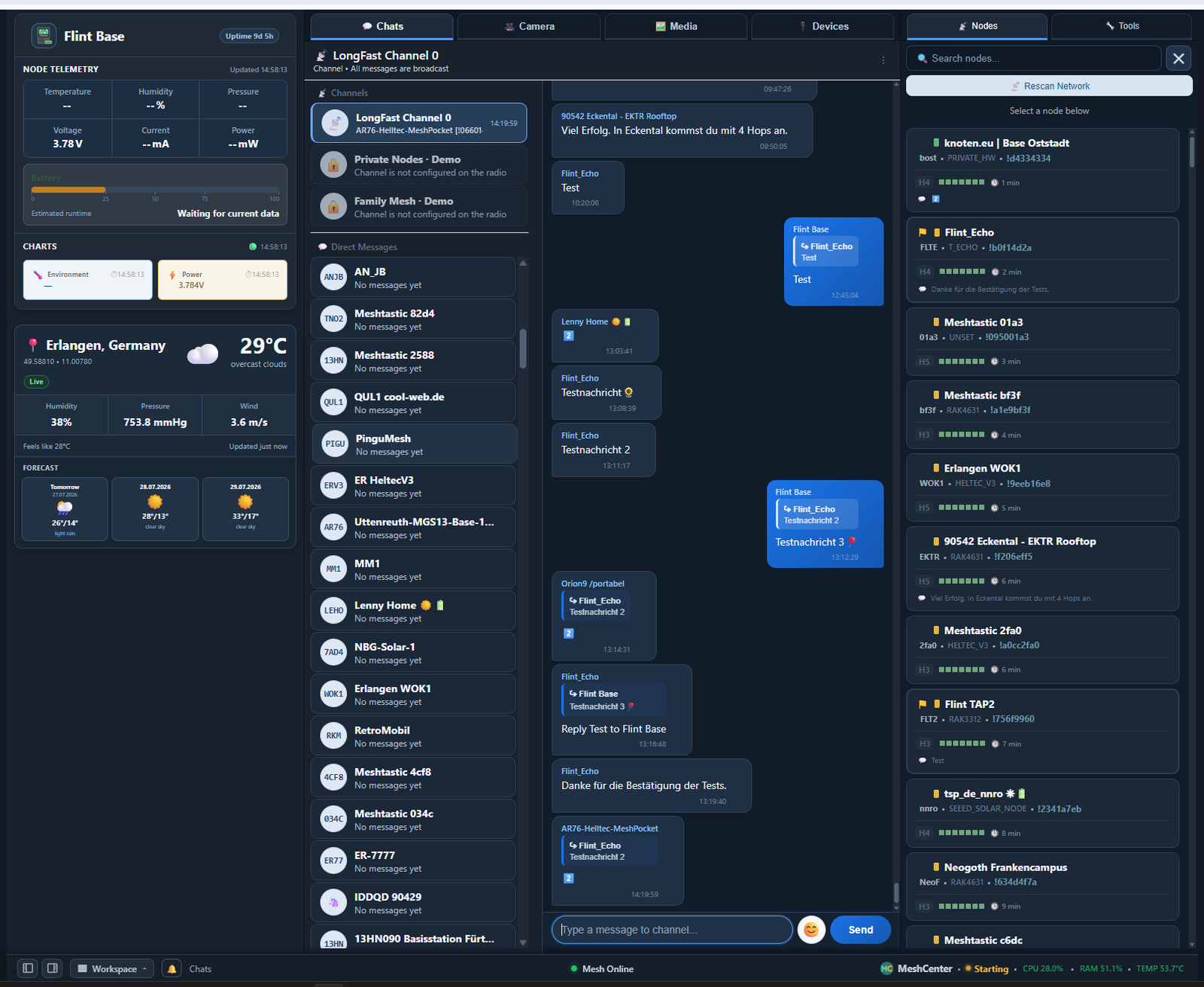
Messaging & native replies
Channel messages, direct messages, reply navigation, message info and local history.
MeshCenter turns a Raspberry Pi connected to a Meshtastic node into a modern control center for messaging, node monitoring, telemetry, camera, weather and local devices.
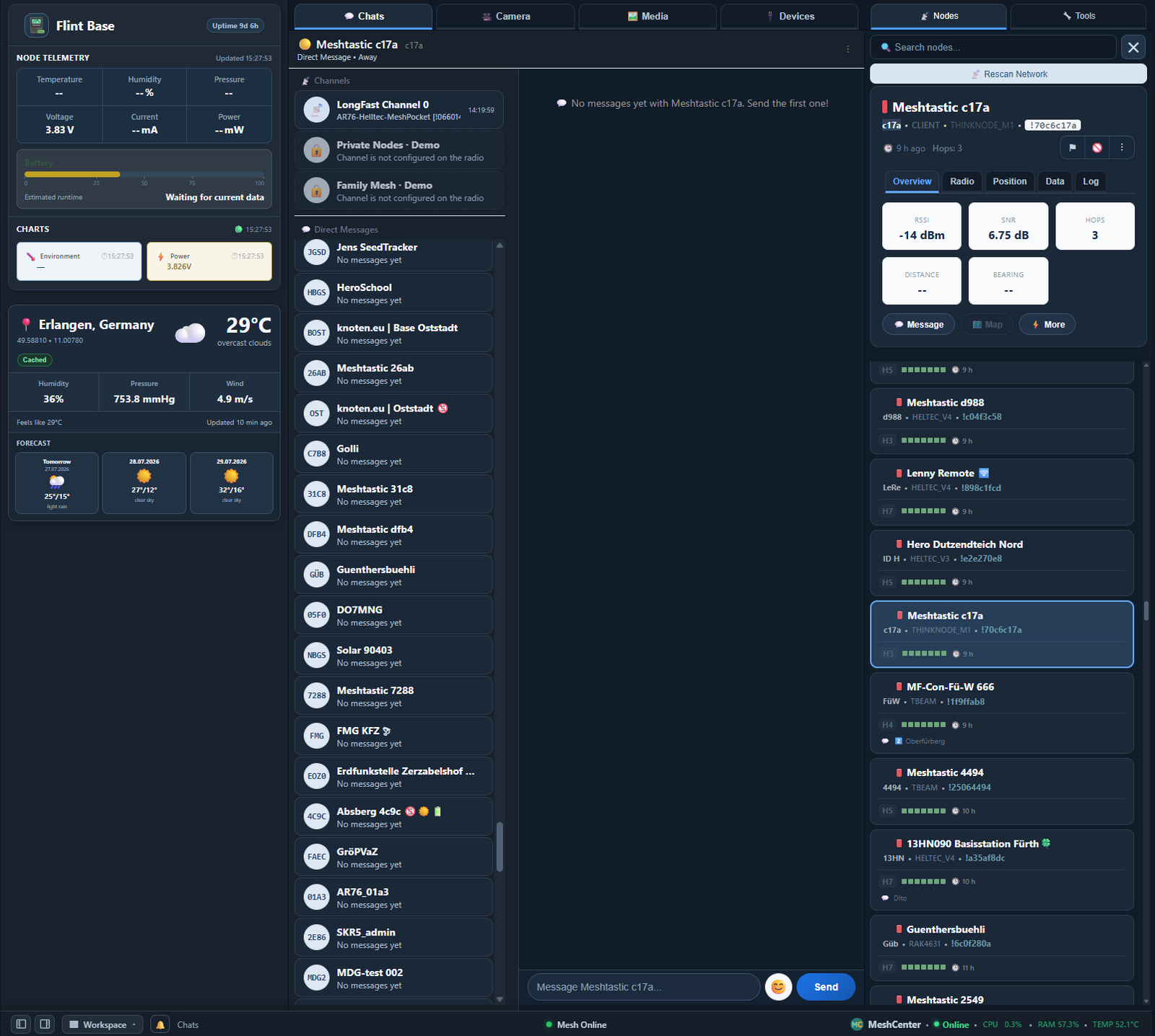
Explore the real MeshCenter interface directly in your browser. The demo uses safe sample data, so you can browse chats, inspect nodes, open telemetry graphs, view the camera and media pages, and explore system tools without connecting any Meshtastic hardware.
MeshCenter combines the core Meshtastic workflow with the extra capabilities a permanently connected Raspberry Pi can provide.
Channel messages, direct messages, reply navigation, message info and local history.
Browse discovered nodes, inspect radio details, signal quality, hops and last activity.
Monitor the Raspberry Pi and connected sensors with compact cards and history charts.
Use a local Raspberry Pi camera for live view, screenshots and a media gallery.
Display local weather, forecasts and a configurable reference location.
A foundation for devices, sensors, automation and future modules.
Dark and light appearance, synchronized navigation, separate channels and direct messages.
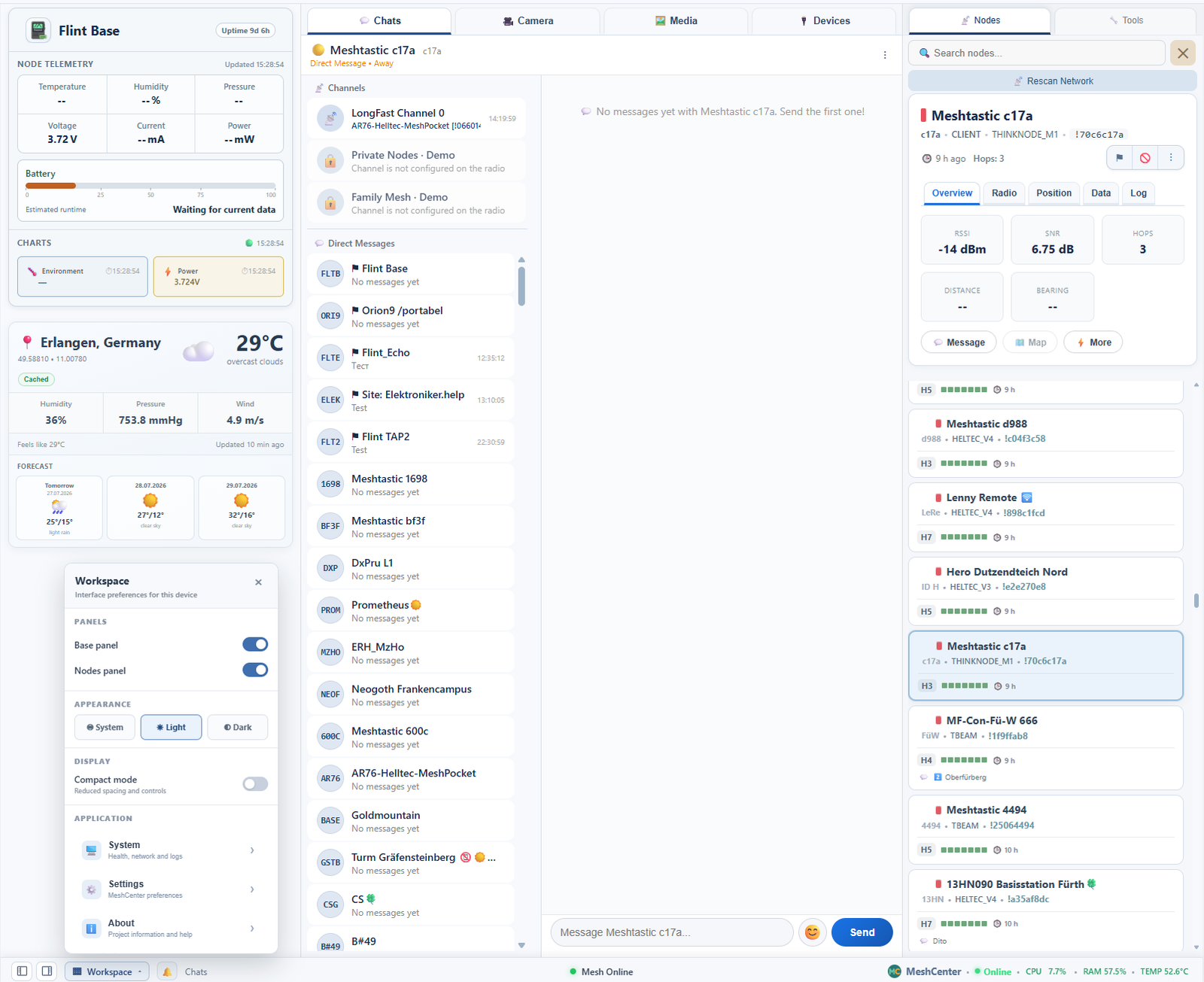
MeshCenter is actively developed as a practical personal project and an open platform.
Installation details, requirements and current source code are maintained in the repository.
git clone https://github.com/FlintUA/MeshCenter.git
cd MeshCenter
python3 -m venv .venv
source .venv/bin/activate
pip install -r requirements.txt